On this page:



What Is VDS Cloning for Dealerships?
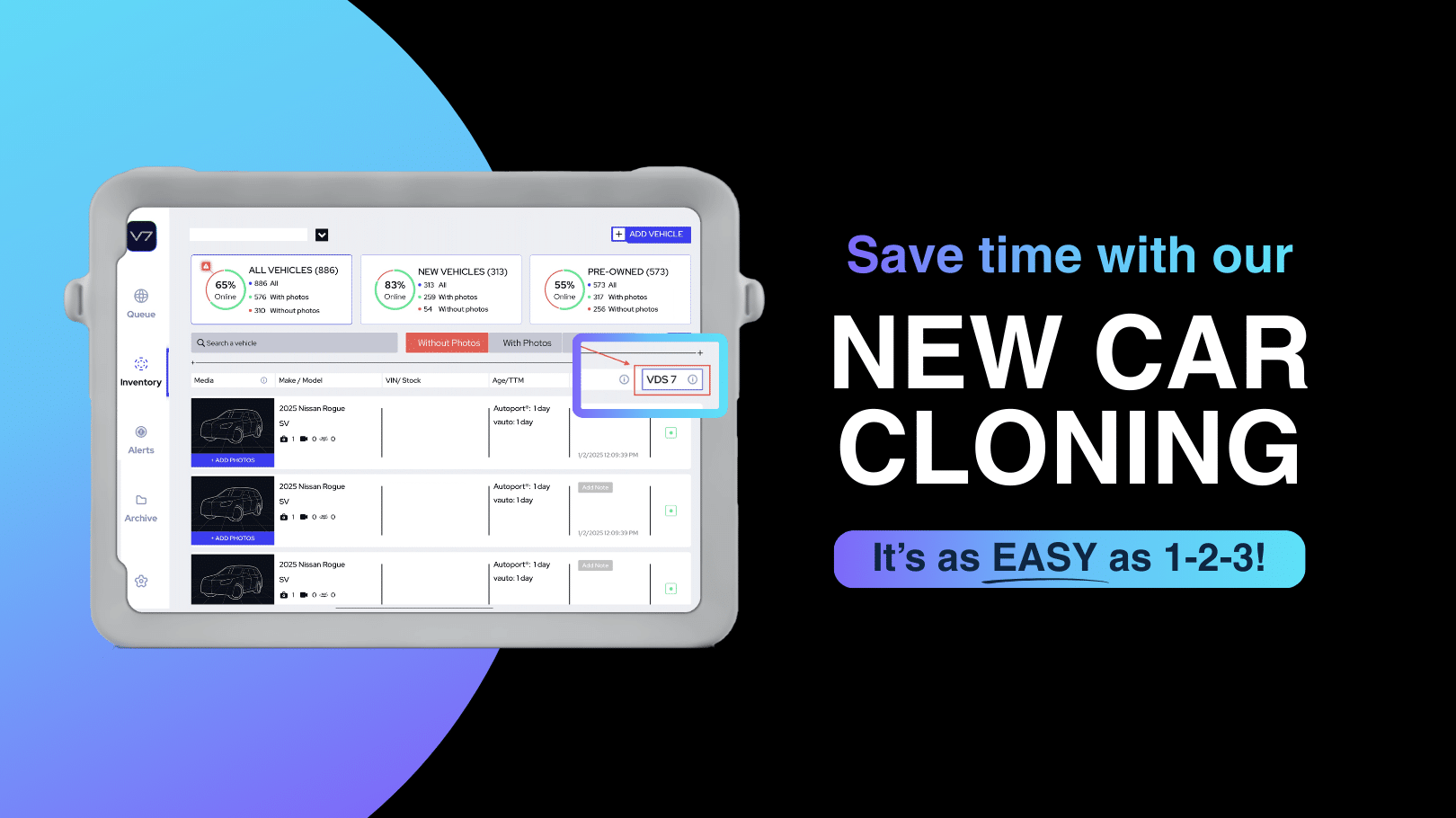
VDS Cloning for dealerships is a tool that duplicates a vehicle photo set including photos, slides, and videos from one new vehicle listing to another vehicle with the same trim level and color. This allows dealerships to maintain professional listings without repeating the same photography and merchandising steps.
How VDS Cloning Works
Using VDS Cloning for dealerships is simple.
- Open the Inventory tab and locate the VDS column.
- Select a vehicle with a blue dot, which indicates a clone is available.
- Confirm the vehicle match with the same trim level and color.
Once confirmed, the entire photo set is copied to the selected vehicle listing.
Benefits of VDS Cloning for Dealerships
Save Time
Eliminate repetitive photography tasks for identical vehicles.
Maintain Consistent Listings
Ensure every vehicle listing follows the same professional presentation.
Publish Inventory Faster
Get vehicles online quickly with a complete photo set already applied.
Perfect for New Vehicle Inventory
Ideal for dealerships stocking multiple new vehicles with the same trim and color.
FAQs
What is VDS Cloning for dealerships?
VDS Cloning for dealerships is a feature that duplicates a vehicle photo set including images, slides, and videos from one new vehicle listing to another vehicle with the same trim level and color.
Does VDS Cloning work for used vehicles?
No. VDS Cloning is designed for new vehicles that share the same trim level and color.
Why do dealerships use VDS Cloning?
Dealerships use VDS Cloning to save time, maintain consistent vehicle listings, and speed up inventory merchandising.